
Your PC becomes
an AI security camera.
Connect USB webcams or ONVIF-compatible network cameras from many manufacturers and add AI image analysis. Recording starts 10 seconds before a detection, so you never miss the moment that matters.
Your PC, as a security camera
Get a surveillance system up and running easily on your Windows 11 PC.
AI image analysis
Analyze camera video with AI. The meaning of the footage is read on the spot, without being sent to the cloud.
Recording from 10 seconds before
Keep not only the moment of detection, but the footage just before it.
USB and ONVIF support
Connect USB webcams or network cameras from many makers, and add AI features.
NEWS
News
FEATURES
From just watching
to judging what is seen.
01 · PRE-RECORD
Recording starts 10 seconds
before detection.
By the time something is detected, it has already begun. LiveCapture4 records from 10 seconds before the detection, so the moment that triggered it is captured too.
02 · AI ANALYSIS
AI watches the video and
detects only what matters.
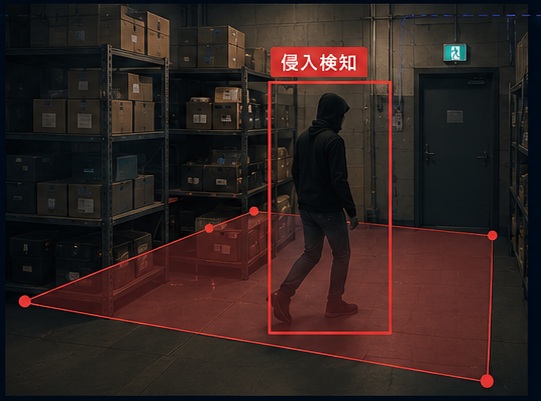
Supports AI object detection on camera video. You can also switch to motion detection, which watches only for movement. Specify a detection area on screen to monitor just the places you care about.
- No dedicated AI hardware required
- Set the detection area with a click
- Choose object or motion detection
03 · PLAYBACK
Review recordings
at a glance on the timeline.
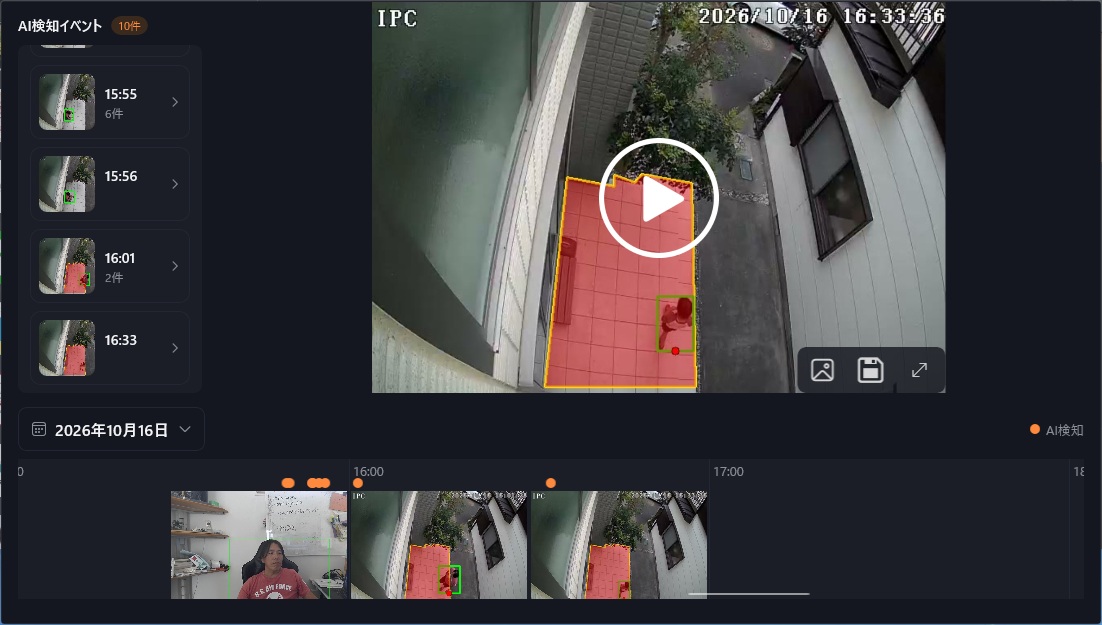
Pick a date and the day's recordings line up on a 24-hour timeline. AI-detected events appear as thumbnails; click one to play from just before the event. Save the footage you need as MP4.
CAMERAS
Add AI to the cameras
you already have.
From USB webcams to ONVIF-compatible network cameras from many manufacturers. You can add AI image analysis without replacing your cameras.
USB webcams
Just plug into your PC. An easy way to try it first.
ONVIF network cameras
Any network camera that supports the ONVIF standard can be found by search and connected easily.
RTSP network cameras
Cameras that stream video over the RTSP protocol can also be connected directly by entering their URL.
SECURE · LOCAL
No cloud needed.
Safe and secure.
Video stays on your PC
AI analysis and recording are processed on your own PC.
No dedicated hardware
No special equipment is needed for AI analysis. A Windows 11 PC is all you need to start.
Recordings stay with you
Video is saved on your PC. There is no need to hand it over to an outside service.